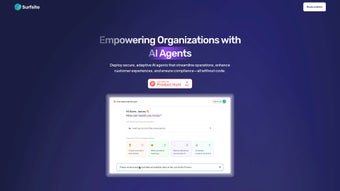

Download Surfsite – AI‑Powered Business Operations Platform
Overview of Surfsite: AI‑Driven Efficiency for Modern Enterprises
In today’s fast‑moving market, businesses need tools that can keep up with rapid decision‑making, cross‑team collaboration, and data‑driven insights. Surfsite answers that call by delivering an AI‑powered web application that centralizes every critical workflow under one secure roof. Whether you’re a product manager looking to automate routine status updates, a marketer aiming to personalize campaign recommendations, or a founder who wants a single pane of glass for compliance monitoring, Surfsite equips you with intelligent assistants that learn, adapt, and act without requiring any coding expertise.
The platform’s adaptive AI agents can manage projects, track key performance indicators, and even answer complex queries by tapping directly into your company’s knowledge base. Real‑time analytics visualize trends as they happen, enabling faster, more accurate decisions. Moreover, Surfsite’s seamless data integration ensures that your existing SaaS stack—CRMs, ticketing systems, cloud storage, and more—communicates securely through encrypted connections, protecting sensitive information while automating repetitive tasks.
In short, Surfsite transforms scattered processes into a cohesive, intelligent workflow, helping teams deliver better customer experiences, stay compliant, and focus on growth rather than manual administration.
The AI engine behind Surfsite leverages large‑language models fine‑tuned on enterprise‑grade data, allowing it to understand industry‑specific terminology and respond with contextual accuracy. This means that a sales rep can ask the assistant, “What was the win‑rate for the last quarter’s enterprise deals?” and receive a concise, data‑backed answer within seconds. Additionally, the platform offers built‑in versioning and audit trails, so every automated action is traceable for governance and regulatory review. Companies that adopt Surfsite often see a measurable uplift in employee satisfaction because the platform reduces mundane, repetitive tasks, freeing staff to focus on strategic initiatives. The combination of AI‑driven automation, robust security, and a user‑centric design makes Surfsite a compelling choice for organizations that aspire to be data‑first and agile in a competitive landscape.
Key Features and Benefits of Surfsite
- AI Assistants for Every Function: Ready‑to‑use agents handle customer support tickets, generate product recommendations, and draft marketing copy, reducing human effort by up to 40%.
- Adaptive Workflow Automation: Drag‑and‑drop workflow builder lets you map processes, set triggers, and automate approvals without writing code.
- Centralized Metrics Dashboard: Real‑time data visualization pulls KPIs from multiple sources, offering a single view of revenue, churn, and operational health.
- Secure Data Integration: End‑to‑end encryption and role‑based access control keep your data safe while connecting to popular SaaS tools like Salesforce, HubSpot, Slack, and Google Workspace.
- Customizable Knowledge Base Search: AI agents index internal documents, wikis, and databases to deliver precise answers in seconds, improving employee productivity.
- Compliance Monitoring: Built‑in audit trails and policy enforcement modules help you stay aligned with GDPR, CCPA, and industry‑specific regulations.
- Scalable Cloud Architecture: Hosted on a multi‑region cloud, Surfsite scales automatically to support small teams and enterprise‑level workloads alike.
- Multi‑Channel Collaboration: Integrated chat, email, and task‑management tools keep communication fluid across departments.
Each feature is designed to deliver tangible business value. The AI assistants, for instance, are pre‑trained on millions of support interactions, which enables them to suggest appropriate responses or route tickets to the right specialist, cutting average resolution time in half for many users. The workflow automation engine supports conditional logic, loops, and parallel branches, so complex approval chains can be modeled without a developer’s involvement.
On the analytics side, the dashboard offers drill‑down capabilities, allowing executives to slice data by region, product line, or time period, and to export visualizations for board‑level presentations. Security isn’t an afterthought; every connector uses OAuth 2.0 where possible, and data at rest is encrypted with AES‑256, meeting the strictest compliance frameworks. The modular nature of Surfsite means you can start with a single assistant—say, a “Support Bot”—and gradually expand to cover sales, finance, and HR, ensuring a smooth adoption curve and minimal disruption to existing processes.
Companies that adopt Surfsite report a 25‑30% reduction in manual process time within the first quarter, alongside measurable improvements in customer satisfaction scores and employee engagement. By eliminating the need for custom‑coded integrations, the platform also lowers total cost of ownership, freeing budget for strategic initiatives such as market expansion or product innovation. In practice, businesses experience faster onboarding because AI assistants guide new users through standard operating procedures, while decision makers gain confidence‑driven insights from the analytics engine. IT departments appreciate the low‑maintenance, secure infrastructure, and the ability to enforce policy centrally without juggling disparate tools. Overall, Surfsite’s feature set creates a virtuous cycle of efficiency, visibility, and compliance that scales with the organization’s growth.
Installation, Usage Guide, and Compatibility
Step‑by‑Step Installation
Getting started with Surfsite is intentionally frictionless. First, visit the official website and click the Download Free Trial button. The installer is web‑based, so you’ll be prompted to create a secure account using your corporate email.
After confirming your email address, the platform launches in a browser window—no client‑side software is required for the core experience. For teams that prefer an on‑premise deployment, Surfsite offers a Docker image and Helm chart that can be installed on private Kubernetes clusters. Detailed documentation guides you through setting environment variables, configuring SSL certificates, and linking your existing identity provider (Okta, Azure AD, or Google Workspace) for single sign‑on.
If you opt for the cloud‑hosted version, provisioning typically completes within minutes, and you can begin building workflows immediately.
Initial Configuration and First Use
Once logged in, the onboarding wizard walks you through three critical steps: connecting data sources, selecting AI assistants, and defining core workflows. Connectors are available for major CRMs, ERP systems, and cloud storage providers; simply enter API credentials and map fields to Surfsite’s unified schema. Next, choose from pre‑built AI assistants—such as “Support Bot,” “Sales Coach,” or “Compliance Auditor”—and customize their response style and escalation rules.
The workflow builder then lets you drag icons representing triggers (e.g., new ticket, closed‑won deal) and actions (e.g., send Slack notification, update Salesforce record). After saving, activate the workflow and watch the AI agents start automating tasks in real time. Advanced users can also import JSON‑formatted workflow templates from the community marketplace, accelerating deployment for common use cases.
Supported Operating Systems
Because Surfsite runs primarily in the cloud, it is platform‑agnostic for end users. The web interface is fully responsive and compatible with the latest versions of Chrome, Edge, Firefox, and Safari on Windows 10/11, macOS Monterey and later, as well as Linux distributions. Mobile apps are also available for Android 8.0+ and iOS 13+, delivering push notifications and quick‑action capabilities on the go. For organizations with strict data residency requirements, the on‑premise Docker deployment supports Windows Server 2019/2022, Ubuntu 20.04 LTS, and Red Hat Enterprise Linux 8, ensuring that Surfsite can run wherever your infrastructure lives. Regular updates are delivered automatically for the SaaS version, while on‑premise customers receive quarterly patch releases and optional hot‑fixes for critical vulnerabilities.
System requirements for the on‑premise edition are modest: a minimum of 4 CPU cores, 8 GB RAM, and 50 GB of SSD storage. Network bandwidth of at least 100 Mbps is recommended to ensure smooth real‑time synchronization between AI agents and external APIs. The platform also supports high‑availability configurations with active‑passive failover, making it suitable for mission‑critical environments where downtime is not an option. Comprehensive logging and monitoring dashboards are built‑in, allowing administrators to track usage metrics, API latency, and error rates from a single pane of glass.
Pros, Cons, FAQ, and Final Thoughts
Pros
- Intuitive AI assistants that require no coding, dramatically lowering the barrier to automation.
- Comprehensive data integration with secure, encrypted connections.
- Real‑time analytics and customizable dashboards for data‑driven decision making.
- Scalable architecture suitable for startups and large enterprises alike.
- Strong compliance features that help meet GDPR, CCPA, and industry‑specific regulations.
- Flexible deployment options – cloud SaaS or on‑premise Docker/Kubernetes.
- Extensive library of pre‑built workflow templates and AI assistant personas.
Cons
- Advanced customization of AI behavior may require a learning curve for non‑technical users.
- While the core platform is free to trial, premium connectors and enterprise‑grade SLA support add additional cost.
- On‑premise deployment demands Docker/Kubernetes expertise, which may not be available in all IT teams.
- Initial data mapping can be time‑consuming for organizations with highly fragmented legacy systems.
Overall, the positives outweigh the drawbacks for most businesses seeking to streamline operations. Companies that have piloted Surfsite report tangible ROI within three months: reduced ticket handling time, higher conversion rates from AI‑enhanced product recommendations, and fewer compliance breaches thanks to automated policy checks. The platform’s flexibility means it can evolve alongside your business, adding new assistants or data sources without disruptive rewrites. Even the noted cons are mitigated by robust support resources, a vibrant user community, and a clear roadmap for future feature releases. In practice, the combination of AI‑driven automation, strong security, and a user‑friendly interface positions Surfsite as a strategic asset for any organization aiming to modernize its workflow landscape.
Frequently Asked Questions
What types of businesses benefit most from Surfsite?
Surfsite is ideal for midsize to large enterprises that operate across multiple departments—sales, support, marketing, and compliance. However, its modular design also serves fast‑growing startups that need rapid automation without hiring dedicated developers.
Is there a free version or trial available?
Yes, Surfsite offers a 14‑day free trial with full access to core AI assistants and workflow automation. After the trial, you can choose a subscription plan based on user count and required premium connectors.
How secure is my data when using Surfsite?
Security is a top priority. All data in transit is encrypted with TLS 1.3, and data at rest is stored using AES‑256 encryption. Role‑based access controls, audit logs, and compliance certifications (ISO 27001, SOC 2) further protect your information.
Can Surfsite integrate with my existing SaaS tools?
Absolutely. Out‑of‑the‑box connectors exist for Salesforce, HubSpot, Zendesk, Microsoft Teams, Google Workspace, and many more. If a connector is missing, the open API lets your development team build custom integrations quickly.
What kind of support does Surfsite provide?
Surfsite offers 24/7 email and chat support for paid plans, a dedicated customer success manager for enterprise contracts, and an extensive knowledge base, video tutorials, and community forums for self‑service assistance.
Ready to transform your business operations? Click the Download Surfsite button now, start your free trial, and experience AI‑driven efficiency first‑hand. Whether you’re looking to cut manual workload, boost data visibility, or ensure regulatory compliance, Surfsite equips you with the tools you need to stay ahead of the competition.
Rating: 4.5/5
Summary: A powerful, secure, and user‑friendly AI platform that brings automation to every department without demanding code expertise.



.png)



